Features
Everything Airframe does
Every way to fly and earn in Airframe, from your first freight to running a port. Click any screen to enlarge it, or see every screen on the screenshots page.
Every flight
Plan it, load it, fly it
Whatever you fly, it runs the same way: pull your SimBrief plan, load the aircraft you already own, fly it in MSFS 2024. Airframe follows the flight and settles it when you park.
- 100+ supported aircraft
- 28 load fuel and payload for you
- 5 checks before pushback
What you unlock 9 features
-
Dispatch in seven steps
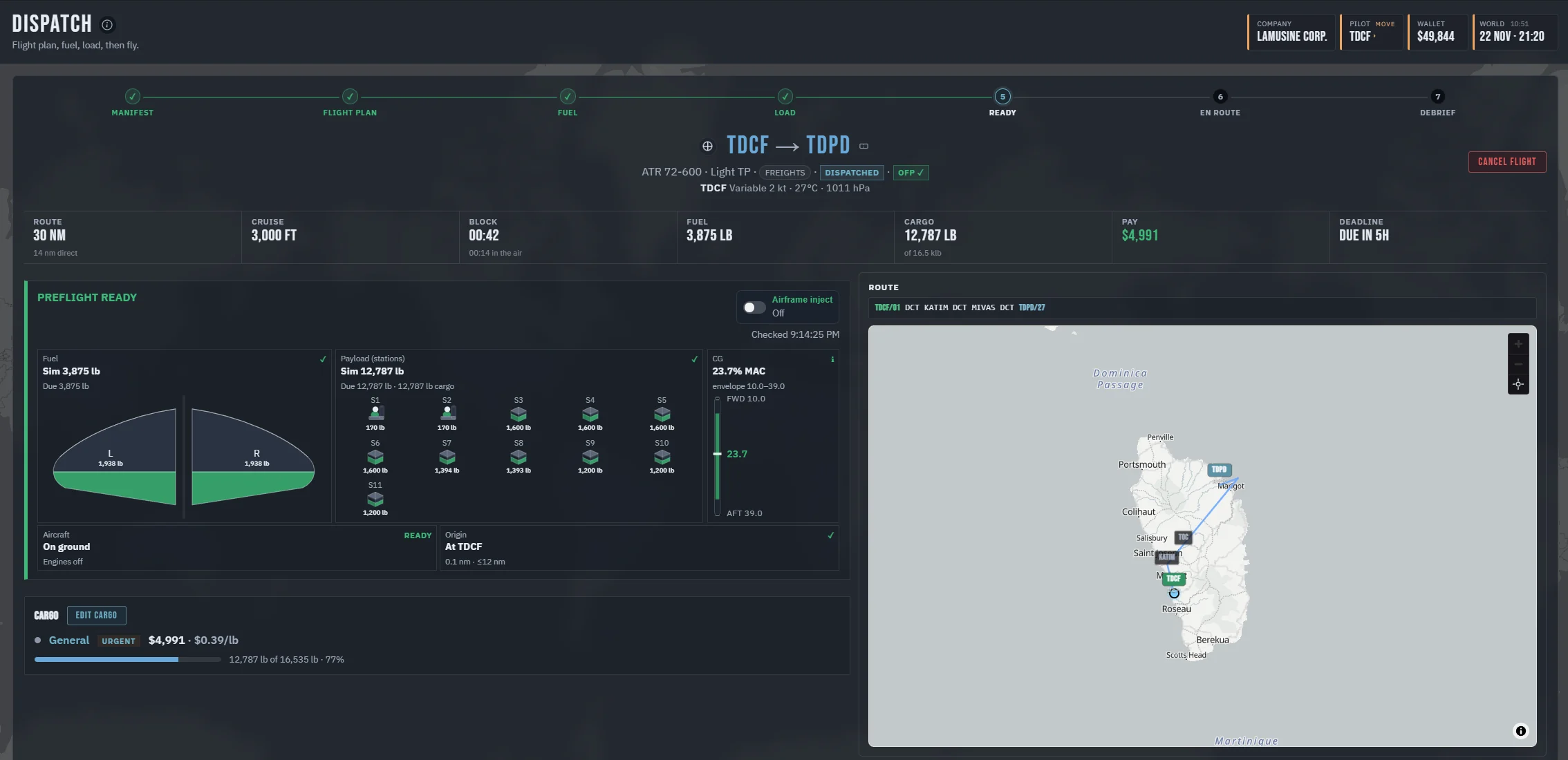
Manifest, flight plan, fuel, load, ready, en route and debrief, with the next step always shown.
-
SimBrief flight plan
Airframe opens SimBrief with the flight filled in and takes fuel and payload from your plan.
-
Airframe inject
On supported add-ons, one switch puts the fuel and payload into the aircraft for you.
-
Preflight check
Loaded from the EFB or by inject, the sim must match the plan before you go.
-
Live flight tracking
The track, phase and landing are recorded from pushback to the gate.
-
Resume after a sim crash
Load the flight again in MSFS and pick the leg up where you left it.
-
Debrief and score
Landing rate, on-time rating, fuel, pay and a flight score on every leg.
-
Logbook
Every leg kept, with route, time, distance, pay and score.
-
Crash detection
A crash is detected and ends the flight. Shortcuts earn nothing.
Freight
Fly the cargo the World needs
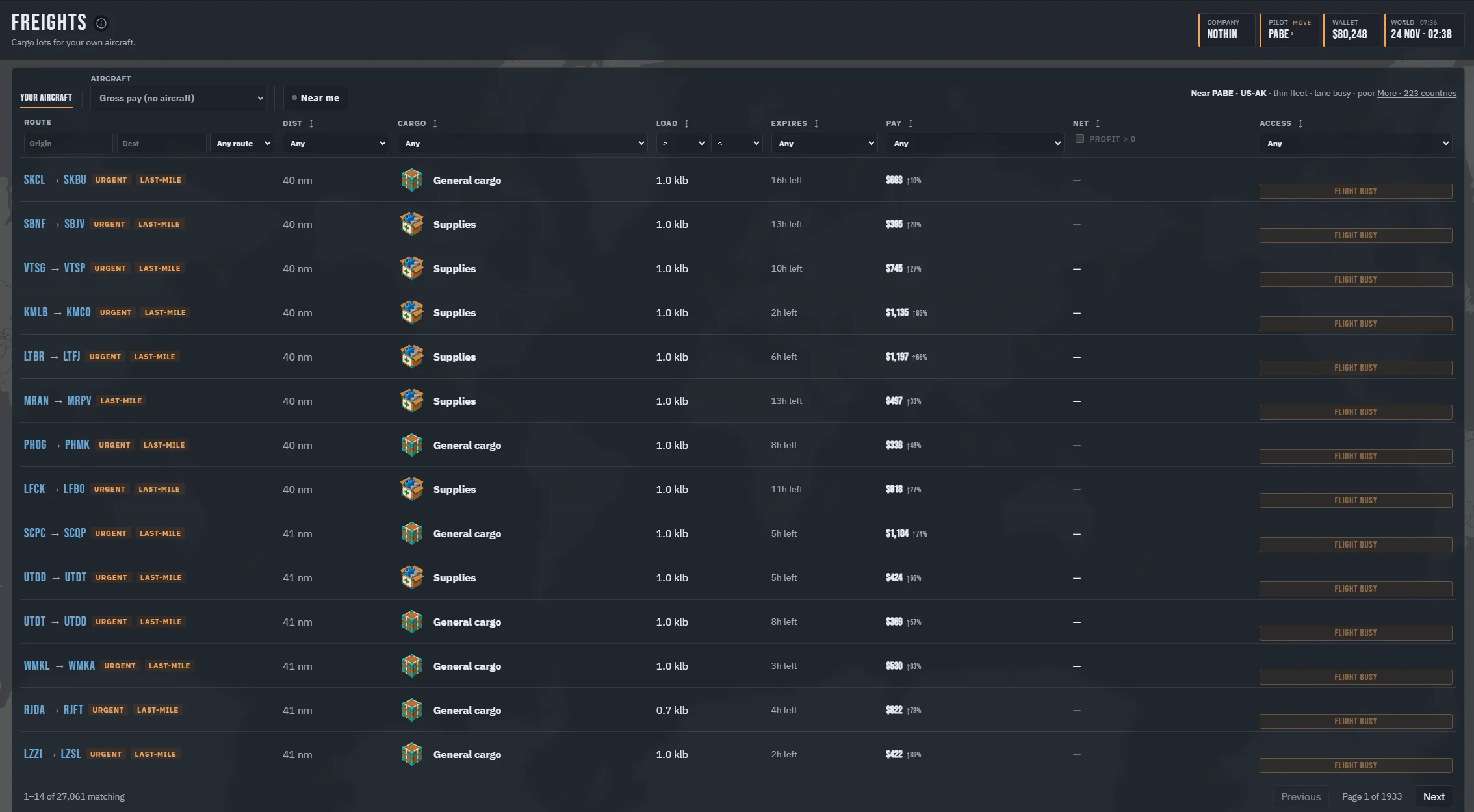
The Freights board fills from what airports are short of, not from a random mission list. Every airport has stock, demand and prices that change every ten minutes, and NPC operators fly the same lots.
- 10 min prices and stock change
- 3,900+ airports with their own market
- 0 aircraft needed to start
What you unlock 8 features
-
Freights board
Filter by route, distance, cargo, load and clock. Take one lot or several on the same route.
-
Urgent and last-mile
The same cargo pays differently when a hub is short or a lot has waited too long.
-
Fly an operator's aircraft
No aircraft yet? Fly an NPC operator's light aircraft or turboprop for a crew cut.
-
Terminal inventory
Stock, balance, trend, flow and local price for every cargo, with a price history.
-
The whole map
3,900+ airports from day one, bush strips included. No region lock.
-
Live movements
Arrivals and departures of NPC airlines and cargo operators at every airport.
-
Cargo reputation
One reputation per commodity unlocks the next kinds of cargo.
-
Ferry flights
Reposition an aircraft empty when the next job starts somewhere else.
Passengers
Fly people, open routes
Fly charters from any terminal, sign a weekly charter series, or open scheduled routes from your base against the NPC airlines on the same pairs.
- +10% per leg on a charter series
- 7 days passengers book ahead on a route
- Fare set yours against the NPC airline
What you unlock 7 features
-
Charter offers
Groups waiting at each terminal, from a handful of people to a full wide-body.
-
Charter series
The same group on fixed days for a few weeks: 10% more per leg and a bonus at the end.
-
Scheduled routes
Open routes from your base and fly them on the days you publish.
-
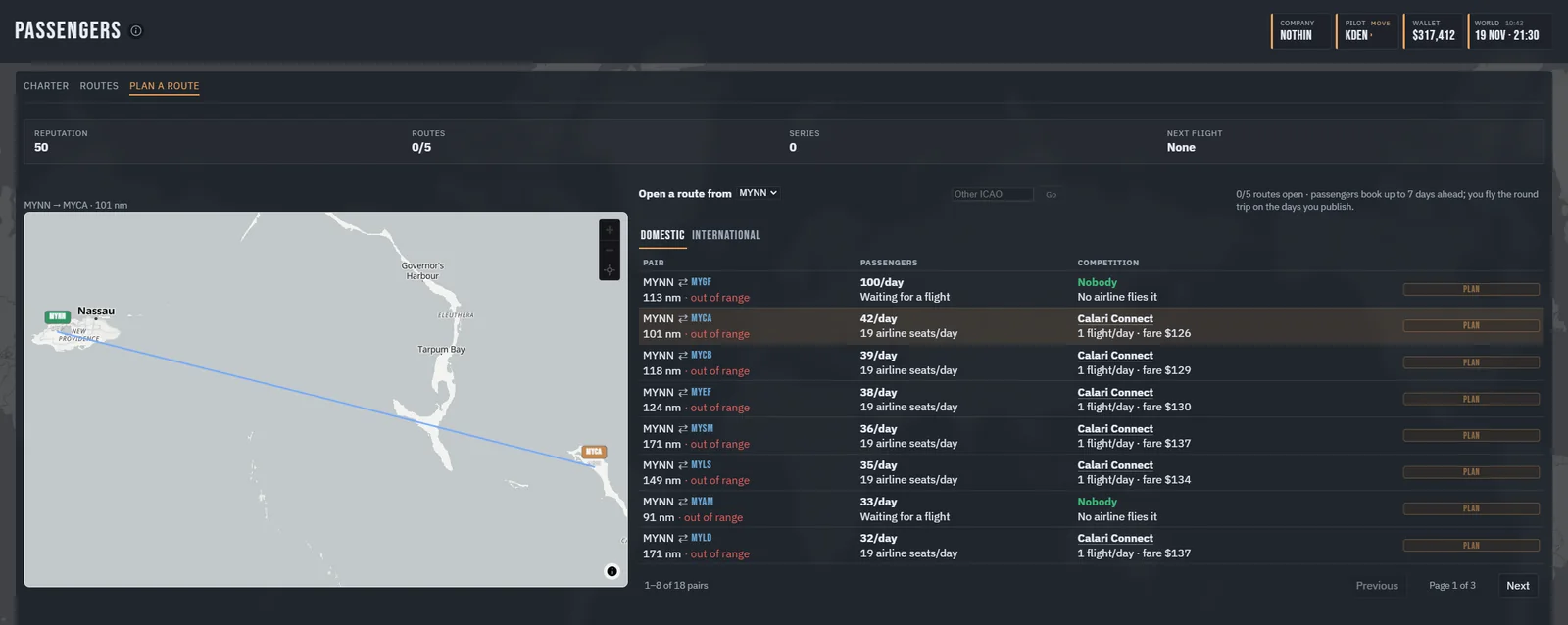
Plan a route
Demand per day, airline seats and the competing fare on every pair before you open it.
-
Aircraft fit
Seats, range and the passenger configuration are checked against your parked aircraft.
-
Group manifests
Add same-route groups until the seats or the route weight limit run out.
-
Delivery clock
Each offer has a clock: accept late and the pay can drop.
Ports and Demand
Buy at the port, sell where it is short
Ships unload cargo at seaports. Buy it at factory price, keep it in your own warehouse, and fly it to the terminals that post Demand orders when their stock runs low.
- ~1/day ship unloads at each port
- 5 warehouse tiers, 2.3 t to 100 t
- 25% stock: below it, a terminal buys
What you unlock 9 features
-
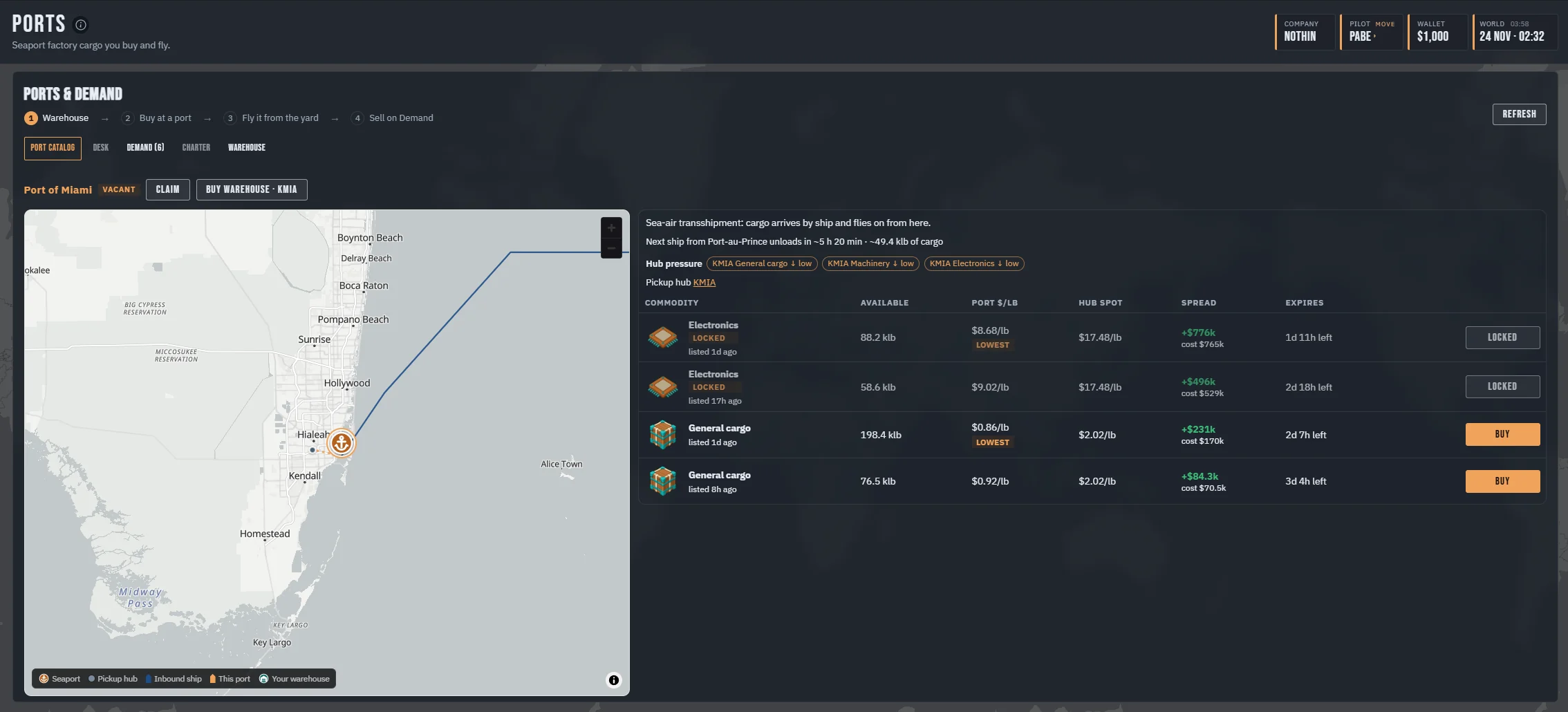
Port catalog
Listings at factory price, with the spread against the hub's spot price. They last about three days.
-
Inbound ships
About once a day, and only when a pickup hub is short. Hub pressure shows what is wanted.
-
Warehouses T1 to T5
From 2.3 t to 100 t at a port's pickup hub. Each tier unlocks with the tonnes you ship.
-
Port yard
No room or no warehouse? Cargo waits in the yard for a daily fee.
-
Demand orders
Terminals below a quarter of their stock post buy orders, and the terminal pays. Partial fills count.
-
Hold or fly now
Reserve the kilos in your warehouse and fly later, or send the flight to Dispatch at once.
-
Trunk orders
Big far orders of 25 to 90 t for starved major hubs: a wide-body fill.
-
Wide haul
Fly your warehouse stock to a terminal that is short, paid like a market freight.
-
Move between warehouses
Send stock to another of your warehouses without a sale.
Port Terminal and fuel
Run a port and your own supply chain
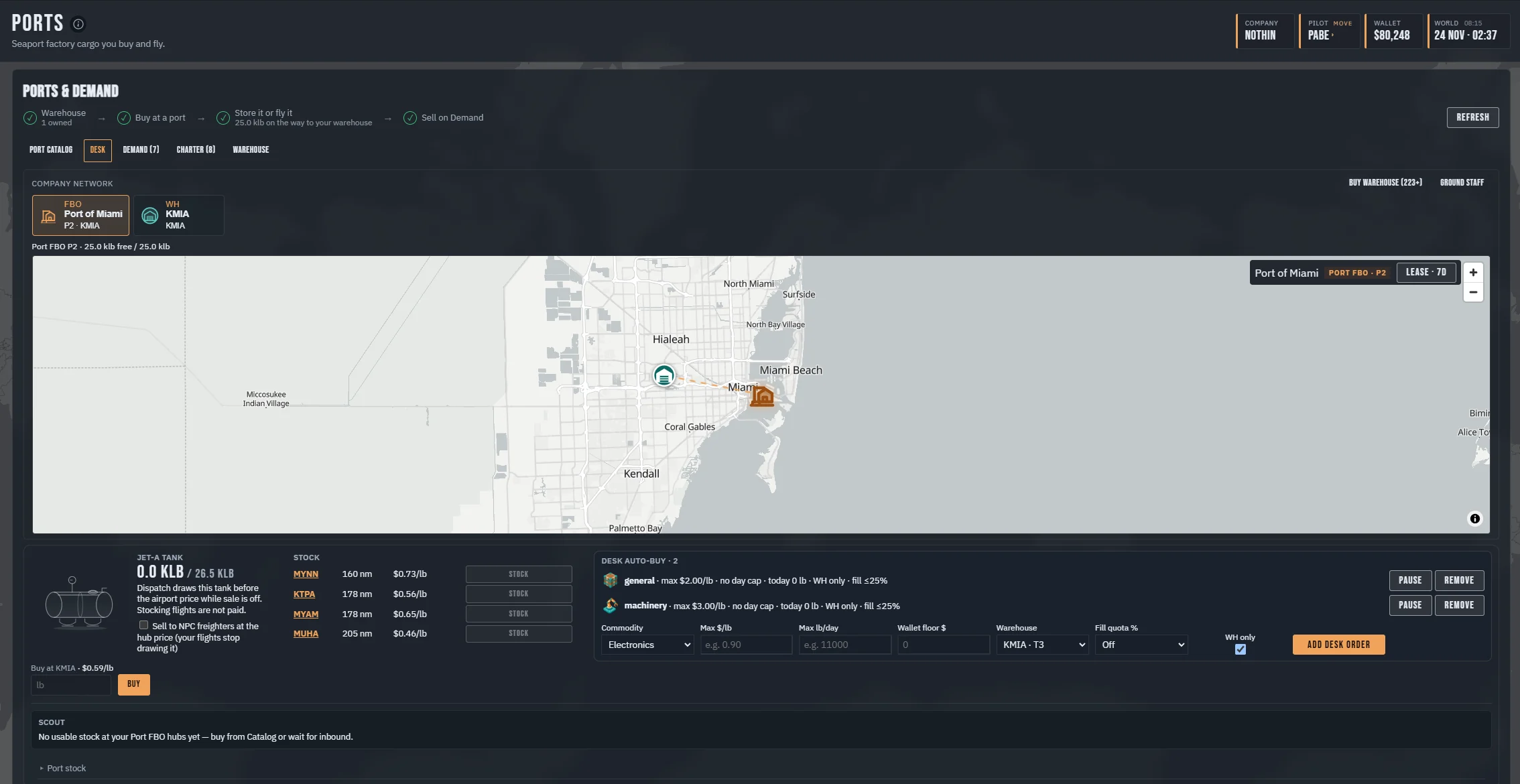
Claim the terminal at a port and its desk is yours: standing buy orders, a truck to your warehouse, air bridges between your warehouses, and your own Jet-A tank. At any airport you can also rent a fuel stand and sell to the hub.
- P1–P3 Port Terminal levels
- 28 t Jet-A tank at P3
- 3 fuel stands per company
What you unlock 10 features
-
Claim a Port Terminal
With a T3 warehouse at one of the port's pickup hubs and 25 t shipped. One operator per port.
-
Operator perks
A lower port price, faster inbound ships and an extra listing, more at P2 and P3.
-
Desk auto-buy
Standing orders with a max price, a daily cap and a warehouse fill quota.
-
Stevedore truck
Moves cargo by road from the port or yard to your warehouse, for a fee and an ETA.
-
Scout
Suggests bridges, Demand orders and hauls from your stock. You confirm, it becomes a hold.
-
Air bridge
Port, warehouse A, an Internal Haul to warehouse B, then sell on Demand at B. Set the pay, or fly it unpaid.
-
Port shuttle
An NPC light aircraft flies an unpaid bridge for you, for a fee plus fuel.
-
Terminal Jet-A tank
Fill it by buying or with unpaid stock flights. Dispatch at that hub draws it before the airport price.
-
Port charter lobby
Passengers wait at your terminal, in rings from short hops to long-haul.
-
Jet-A stands
Rent a tank at any terminal, fly fuel in from a cheaper airport and sell to the hub above your floor price.
Your company
Build your own operation
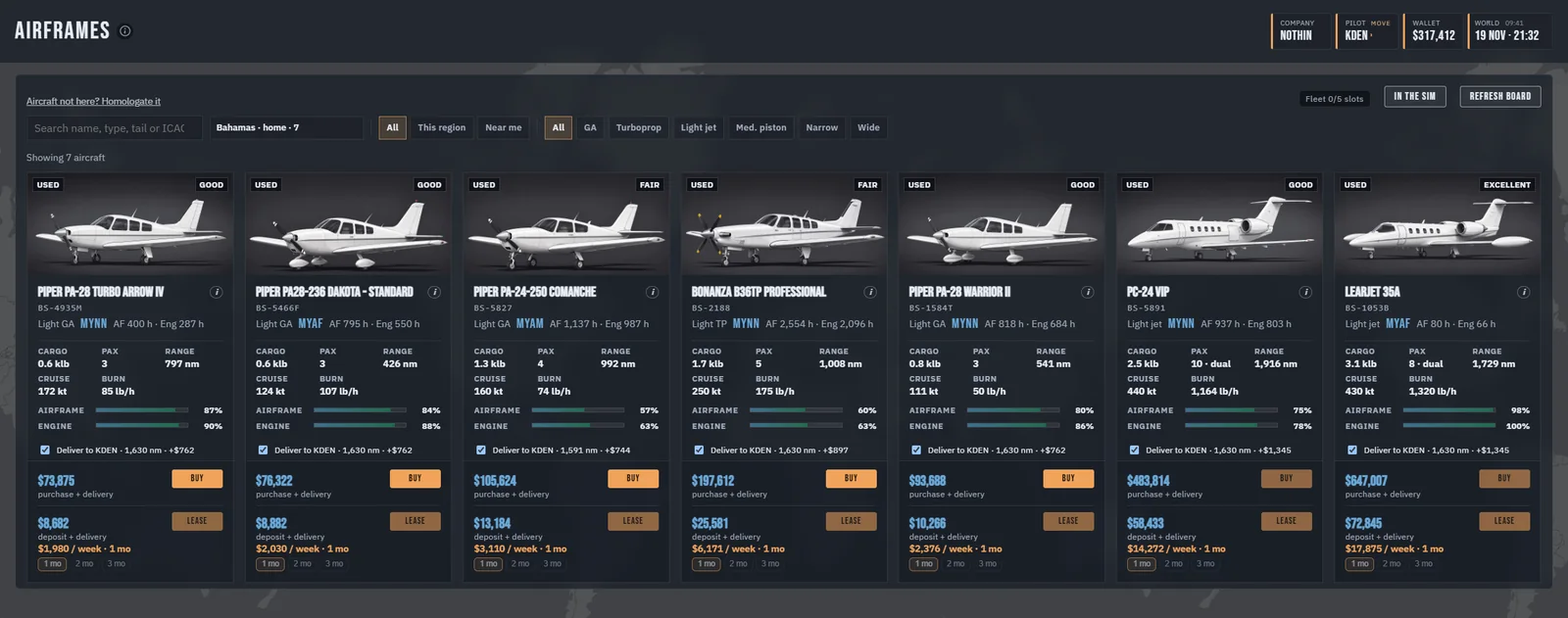
Buy or lease from a market shared by everyone, keep the fleet flying and the books in the green, and put spare cash into the NPC companies that fly beside you.
- 1 registration = one aircraft
- 8 clean freights unlock leasing
- 1–3 mo lease terms
What you unlock 9 features
-
Aircraft market
New, used and lease prices; condition and hours change what you pay.
-
Finite tails
Each registration is one aircraft in one shared market, and the pool is limited.
-
Leasing
Opens after clean, on-time freights. Lease terms from one to three months.
-
Hangar
Travel to your aircraft, ferry it, and see fuel, hours and where each one is parked.
-
Maintenance
Inspect and repair. Hours raise maintenance costs and cut resale.
-
Base
A company home adds parking, Jet-A and MRO perks at your hub.
-
Class ladder
Unlock aircraft classes as your company grows, from light singles to wide-bodies.
-
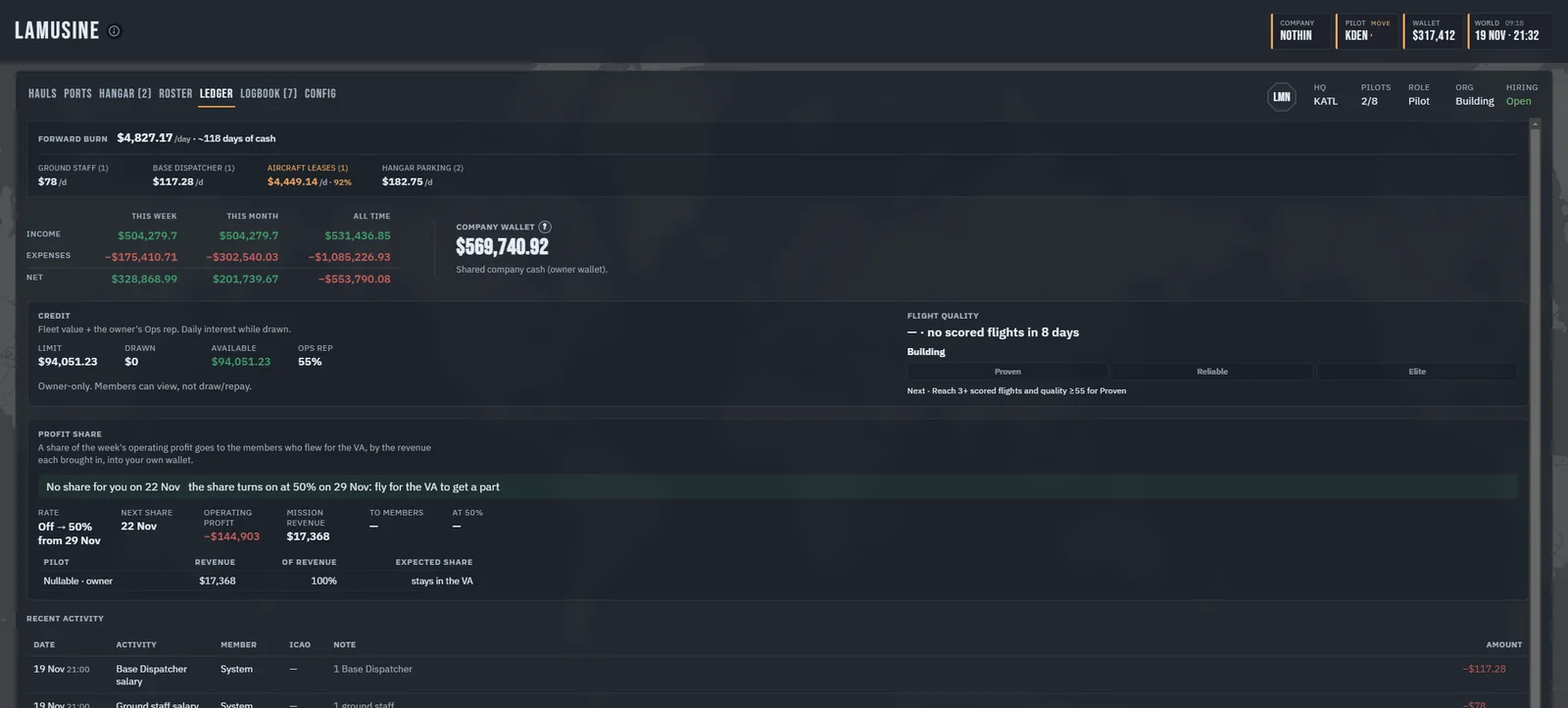
Cashflow
One ledger for freights, fuel, leases, maintenance and parking.
-
Invest in the World
Every NPC operator keeps its own books. Buy a stake and earn part of its Sunday dividends.
Fly together
Virtual airlines in one shared World
Publish your company as a virtual airline or join one. Share aircraft and company hauls, split the profit, and climb the ranking together.
- 1 World on the same clock
- 3 roles: owner, dispatcher, pilot
- 7 days or all time on the ranking
What you unlock 6 features
-
Found or join
Publish your company, or join by request or with a private invite code.
-
Shared fleet
Fly the airline's aircraft as your own. Your own unlocks still apply.
-
Cuts and profit share
A cut of every leg goes to your wallet, and a weekly share of the profit to those who fly.
-
Roles
Owner, dispatcher and pilot, each with what they may run.
-
Company hauls
Move the company's cargo between its warehouses and sell it where it is wanted.
-
Ranking
Airlines and pilots by distance, flights or pay, over 7 days or all time.
Getting started
Flying in three steps
-
Install
Download the app and sign in with your key. About ten minutes to your first look at the World.
-
Connect SimBrief
Add your free SimBrief username. Airframe finds MSFS 2024 by itself: nothing to set up.
-
Take your first load
Pick a job at your hub, plan it in SimBrief and fly. The app does the paperwork.
Compatible aircraft
Bring the aircraft you already fly
Airframe loads fuel and payload for you. The others you load as usual, and Airframe checks them.
- PMDG 737 · 777 · DC-6
- FlyByWire A320neo (A32NX)
- Fenix A319 · A320 · A321
- FSLabs A321 · A321neo
- iniBuilds A300-600 · A330 · A350 · 707 · A340-300 · YS-11
- FSS E170–E195 · 727-100
- Just Flight BAe 146 · F28 · F70 · F100 · PA-28
- Leonardo MD-82 · MD-83 · MD-88
- TFDi MD-11F
- Aerosoft CRJ 550–1000 · A330-900
- ToLiss A340-600
- Black Square Baron · Bonanza · Duke · Starship · TBM 850
- SimWorks Studios Kodiak 100 · PC-12
- MSFS 2024 ATR 42/72 · A320neo V2 · A321LR · 737 MAX 8 · King Air · Caravan · CJ4 · Longitude
Also A2A, Carenado, Synaptic, FlightFX, FlySimWare, BlueBird and more: the market in the app lists every supported aircraft. Product names belong to their owners and are listed for compatibility only.